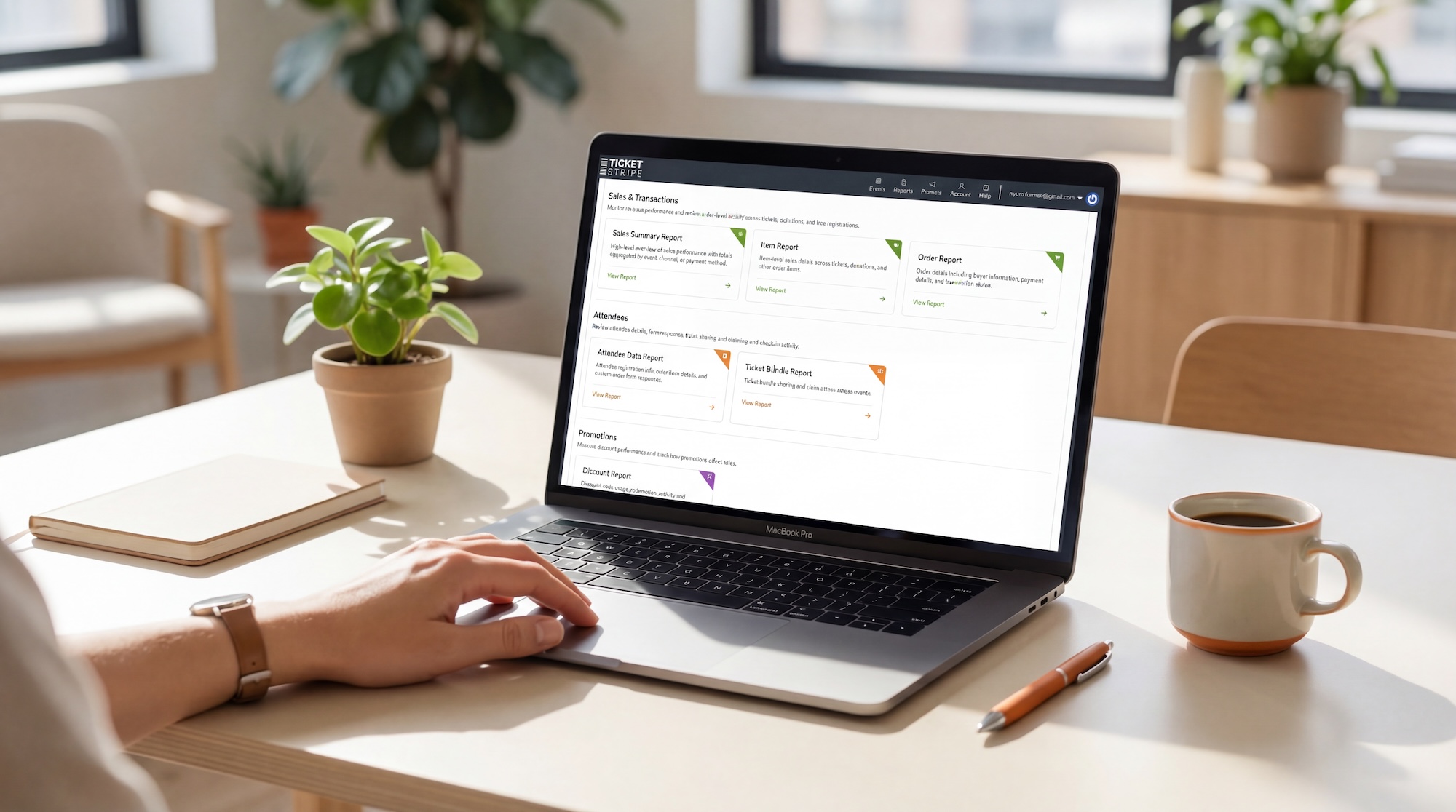
Good reporting helps organizers answer important event questions faster. As organizations manage more events, ticket types, sales channels, attendees, donations, and payment activity, they also need greater visibility into their data.
Ticketstripe’s advanced reporting module gives organizers that depth while making reports easy to navigate. Sales, orders, items, attendees, ticket bundles, and discount data are organized into purpose-built reports, making it easier to choose the right report based on the question you need to answer.
Rather than cramming all data points into a single overwhelming report, Ticketstripe thoughtfully separates information by task. This gives larger and growing organizations robust reporting capabilities while keeping the experience clear, approachable, and easy to use.
Sales Summary Report
Need a high-level view of sales totals across events?
Use this report to compare revenue across events, channels, or payment methods without reviewing purchases individually.
Order Report
Need to find a buyer, an order, a payment record, or a donation transaction?
This is the best report for buyer and transaction details. Use it to find an order, review payment information, monitor transactions across events, or reconcile data with your payment processor.
Item Report
Need to compare how specific tickets, donations, or items performed?
Use it to compare ticket types, donations, merch, sponsorships, or other items across one or more events.
Attendee Data Report
Need to find an attendee, review check-in status, or see order form responses across events?
This is the best report when you need attendee-level information across events, need to search for an attendee, or when the attendee is not the original buyer.
Ticket Bundle Report
Need to track ticket sharing and claiming details for bundle buyers and their guests?
This report is useful for tracking what happens after a bundle is purchased. Use it to follow up with buyers who have not shared their tickets, contact guests who have not claimed them, or review bundle purchases that included non-ticket items.
Discount Report
Need to review promotions and discount code usage?
This report shows which orders and items received discounts and helps you measure discount activity across events.
Advanced Reporting Across Multiple Events
Organizations managing multiple events need more than individual event totals. They need to search across events, compare performance, locate transactions, review attendance, and understand how tickets, donations, bundles, and other items are performing over time.
Ticketstripe’s advanced reporting tools bring that information together without requiring teams to open and review each event separately. Organizers can compare events, sales channels, and payment methods; search for specific buyers or attendees; review item performance; and monitor ticket sharing and claiming from one reporting area.
This cross-event visibility is especially useful for nonprofits with multiple chapters, venues with recurring programming, associations, festivals, and other organizations managing a growing event calendar.
Is Ticketstripe Reporting Suitable for Large Organizations?
Yes. Ticketstripe provides advanced reporting for enterprise, national, and multi-chapter organizations managing multiple events, ticket types, sales channels, payment methods, attendees, donations, bundles, and discount programs. Teams can search across events, customize report views, save frequently used setups, and export data for further analysis, all from a reporting area designed to remain easy to navigate.
Robust Reporting Without Unnecessary Complexity
Advanced reporting should provide more control without creating more work.
Depending on the report, organizers can narrow results by date, apply filters, adjust visible columns, and save preferred report setups for future use. Saved reports can be reopened from the main Reports page with refreshed data, helping teams return to the information they review regularly.
The reporting module is designed so that occasional users can quickly find the information they need, while experienced teams can customize reports for more detailed analysis, reconciliation, planning, and follow-up.